

Manage your profile and security
Your profile page is where you update how you appear in Metrifly, keep your account secure, choose which notifications you get, and — if you ever need to — delete your account. By the end of this, you’ll know where each of those lives and how to change it.
Open your profile
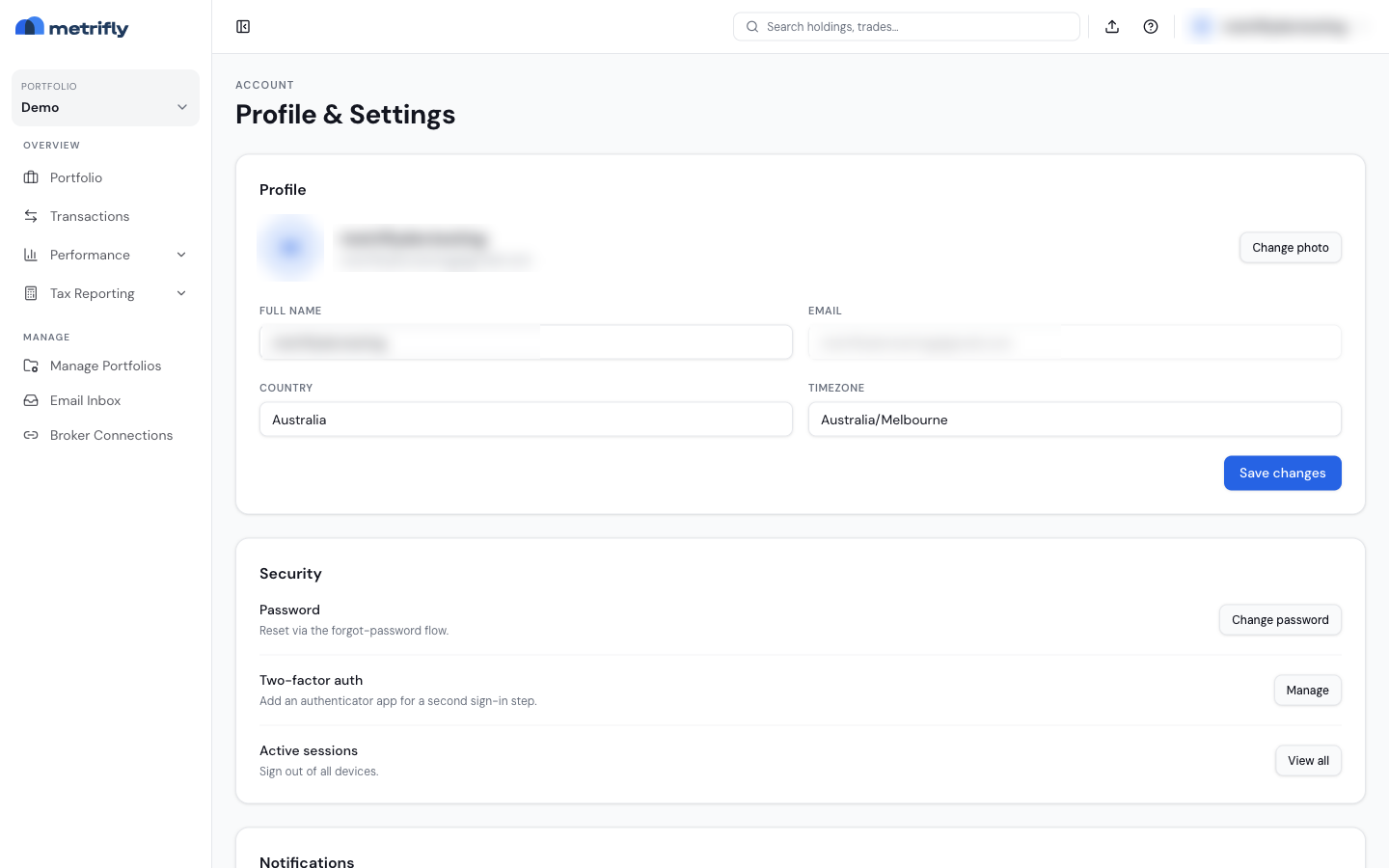
Section titled “Open your profile”Go to the account menu (top right) → Profile. The page is titled Profile & Settings.
Update your profile
Section titled “Update your profile”| Field | Editable? | Notes |
|---|---|---|
| Photo | Yes | Change photo — JPEG, PNG, or WebP, up to 2 MB |
| Full name | Yes | Click Save changes to apply |
| No | Your sign-in address | |
| Country / Timezone | Yes | You can type into these fields, but they aren’t saved to your account yet |
Photos upload straight away; name changes need Save changes.
Keep your account secure
Section titled “Keep your account secure”| Item | What you can do |
|---|---|
| Password | Change password opens the reset flow with your email pre-filled |
| Two-factor auth | Manage to set up or turn off TOTP (an authenticator app) |
| Active sessions | View all, then Sign out everywhere to sign out of all devices |
Choose your notifications
Section titled “Choose your notifications”For each category, toggle Email and Push:
- Marketing & product updates (off by default)
- New dividends
- Contract note updates
The first time you enable push, your browser may ask for permission.
Delete your account
Section titled “Delete your account”In the Danger zone, click Delete account, type your email address to confirm, and confirm again. This removes your portfolios and suspends the account.
If your account is ever suspended, sign-in shows Account suspended — sign out, or email support@metrifly.com.
Troubleshooting
Section titled “Troubleshooting”| Problem | Fix |
|---|---|
| Your photo won’t upload | Keep it under 2 MB and use JPEG, PNG, or WebP. |
| Your name didn’t save | Click Save changes; sign in again if your session expired. |
| You need to change your email | This isn’t supported in-app — contact support. |
| Two-factor setup fails | Retry Manage; if errors persist, contact support. |