

Record reinvested dividends (DRP)
A Dividend Reinvestment Plan (DRP) in Metrifly follows a review-first flow:
- your dividend remains an income transaction
- a linked Dividend Reinvestment transaction tracks the share acquisition
- residual cents are carried forward as a visible balance chain
This keeps income reporting and cost base correct without double counting.
Prerequisites
Section titled “Prerequisites”- You have imported or added the holding and dividend.
- You have DRP issue-price data (for automatic provisional rows this comes from ASX filing enrichment).
How DRP now works
Section titled “How DRP now works”For each DRP payment, Metrifly tracks two linked rows:
- Dividend (income, tax fields, franking, withholding)
- Dividend Reinvestment (shares allotted, issue price, issue value, residual brought/carried)
The reinvestment row starts as provisional and stays non-share-affecting until you confirm it.
Set DRP enrolment
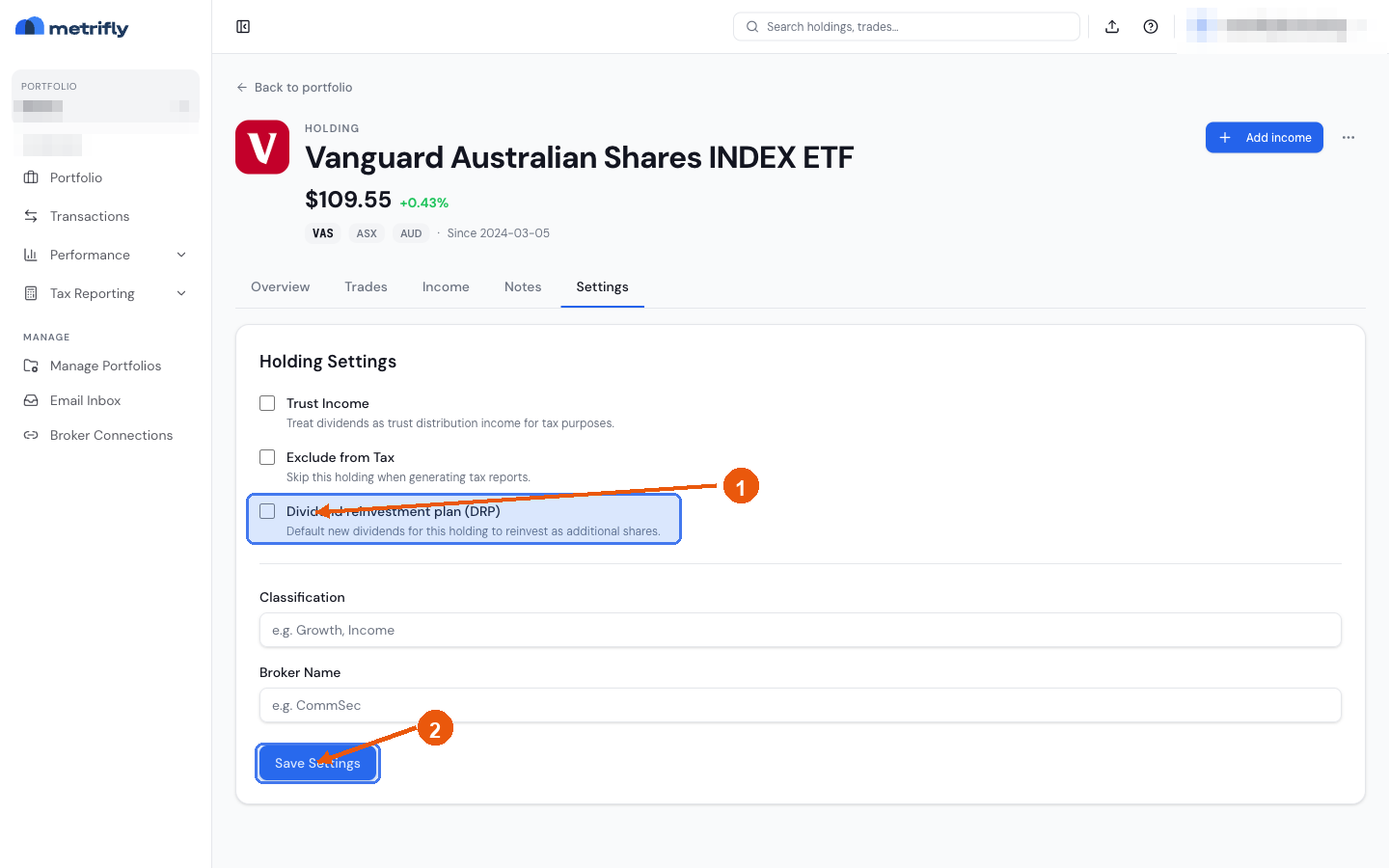
Section titled “Set DRP enrolment”Open the holding’s Settings tab and tick the Dividend reinvestment plan (DRP) checkbox in the Holding Settings card. Once ticked, two extra controls appear:
- From/To ex-date boundaries for the enrolment period
- Rounding mode:
ROUND_DOWNROUND_NEARESTROUND_UPROUND_DOWN_TRACK_BALANCENO_ROUNDING
Record a DRP manually
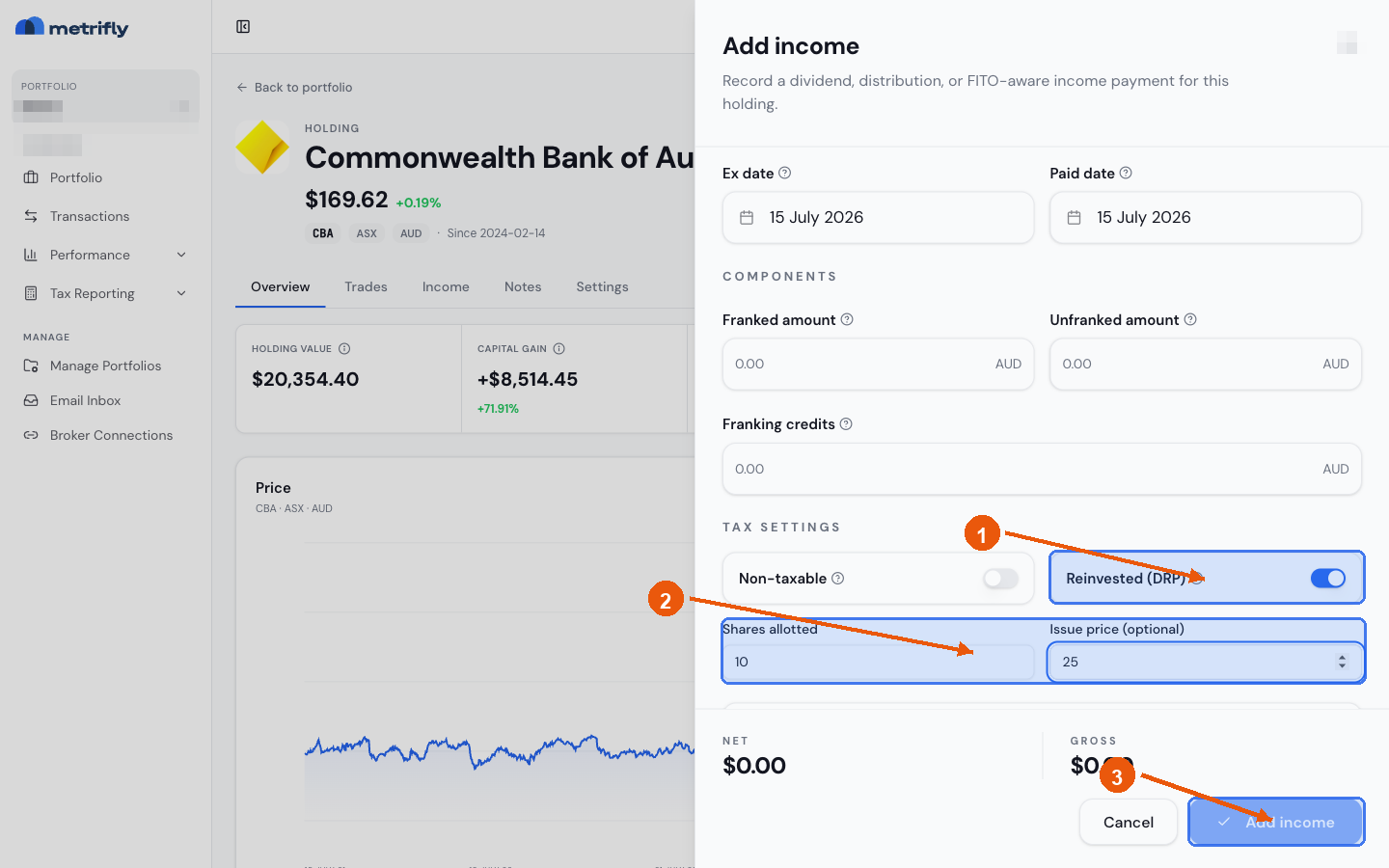
Section titled “Record a DRP manually”You can also record a reinvested dividend yourself with Add income. Turn on the Reinvested (DRP) toggle, then enter Shares allotted and, optionally, an Issue price (leave it empty to derive it from the payment amount and shares allotted).
Review automatic DRP items
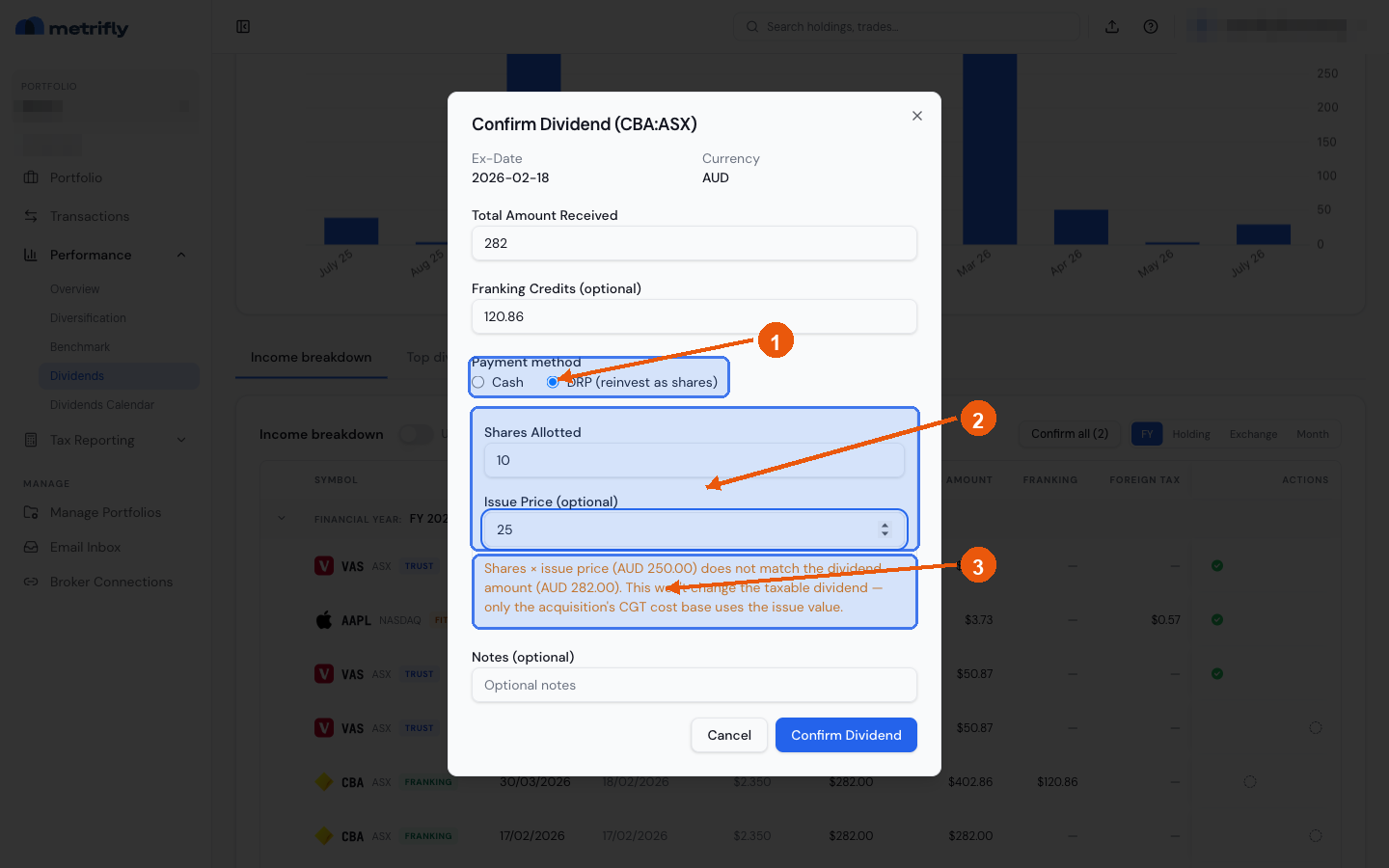
Section titled “Review automatic DRP items”On Performance → Dividends, use the Automatic DRP review queue.
You will see two review types:
- Provisional DRP: unconfirmed linked DRP created from enrolment + official issue price
- Cash conversion: a confirmed cash dividend that now qualifies for one-click DRP conversion
Actions:
- Confirm DRP: confirms the linked pair and applies shares/cost base
- Confirm cash: keeps the dividend as cash for that payment
- Convert to DRP: one-click convert a confirmed cash dividend
- Keep cash: suppresses future conversion prompts for that dividend
Residual balance behavior
Section titled “Residual balance behavior”When rounding leaves unused value, Metrifly records:
- Balance brought forward
- Balance carried forward
Residuals are locked to currency minor units and visible in:
- the holding’s Settings tab (Holding Settings card, under the DRP checkbox)
- DRP review queue
- Dividend & DRP history
If available value buys zero whole shares, you can still confirm a zero-share reinvestment row and carry the residual forward.
Disable or end enrolment
Section titled “Disable or end enrolment”Ending a period removes affected unconfirmed system DRP rows only. Confirmed history remains unchanged. Any residual balance stays unsettled until you explicitly adjust or settle it.
Settle or correct residuals
Section titled “Settle or correct residuals”On the holding’s Settings tab, use Residual adjustment to:
- add or reduce residual balance
- mark cash returned/forfeited/carry-forward/manual corrections
- optionally create linked settlement transactions:
- cash settlement
- Return of Capital settlement
For tax treatment of Return of Capital, see Return of capital.
Correct confirmed DRP history
Section titled “Correct confirmed DRP history”Metrifly protects a confirmed DRP when a later sale, confirmed DRP, or residual adjustment relies on its linked reinvestment. In that situation, you cannot delete it, reopen it, or change it back to cash until you correct the later dependent entries first. This prevents later shares or residual balances from being left without their original DRP.